
How accurate is Mashgin at identifying items?#
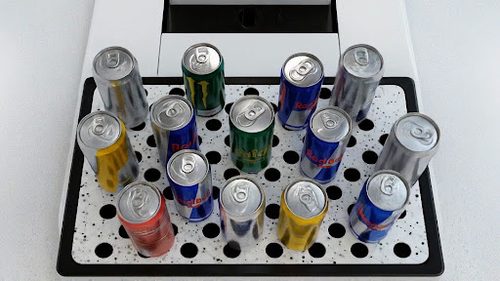
Mashgin is 99.9% accurate at identifying items that are placed properly on it’s tray, as long as the item is in the pricebook and has accurate training poses in the system. It builds a real-time 3D model of every item on the tray from multiple cameras, so it can separate look-alike products and crowded trays that single-camera systems miss.
Does Mashgin work with fresh or made-to-order food?#
Yes. Mashgin recognizes items by shape, size, and color, not barcodes, so it identifies hot food, salads, fountain drinks, and produce, including their packaging. Cleveland Clinic's cafeteria, for example, uses Mashgin to ring up packaged food, grab-and-go items, and made-to-order hot food in a single transaction. For items sold by weight, Mashgin supports an attachable scale.
What happens if Mashgin doesn't recognize an item?#
Mashgin is 99.9% accurate for items that are in the pricebook and have been trained, so when an item isn't recognized, it is almost always because that item hasn't been added to the system yet. Staff can add a new item in about 60 seconds, and Mashgin recognizes it from then on.
In the rare case that an item already in the system can't be recognized, for example because its packaging is damaged or it is covered or blocked on the tray, Mashgin prompts the shopper to scan it with the integrated barcode scanner. If the item has no barcode, the shopper chooses it from a list of possible items.
Can Mashgin handle items sold by weight?#
Yes. Mashgin supports pay-by-weight items, such as produce or bulk foods, through an attachable scale that weighs the item so it is priced by weight at checkout. Those items ring up in the same transaction as everything else on the tray.
How does Mashgin learn new or seasonal products, and who does that work?#
Adding a new item takes about 60 seconds, and either the customer or Mashgin's team can do it. Mashgin has learned from more than 1.7 billion transactions, so it already recognizes over 1 million common products. At deployment, a location only needs to add items unique to it.
Mashgin's largest customers, including food service companies like Aramark, Sodexo, and Compass Group and convenience chains like Circle K, add new products as they launch, and some keep dedicated kiosks in their labs for this. For new sites, Mashgin's deployment team loads the menu before opening. At one campus deployment, Keith Wilson said the team helped "get almost 1,000 items in the system before we opened."
Does Mashgin require an internet connection?#
For setup, yes. Mashgin needs an internet connection when a site is first set up and to pull item data from Mashgin's cloud. Once a site is set up and its pricebook or menu is loaded onto the device, Mashgin can keep checking customers out without an internet connection. A connection is needed again to add new items or update the menu.
Do Mashgin units use Wi-Fi or Ethernet?#
It depends on the unit. The Mashgin Kiosk connects by wired Ethernet or cellular backhaul; it does not use Wi-Fi. The Power Counter and Power Counter Mini support Wi-Fi, wired Ethernet and cellular backhaul. MashTab supports Wi-Fi in addition to wired Ethernet.